Say goodbye to tedious manual operations. Create perfect hierarchical bookmarks for your PDF documents quickly using simple text formats. Built for efficiency.
We polish every detail to provide the smoothest experience.
* Some premium features require in-app purchase to unlock
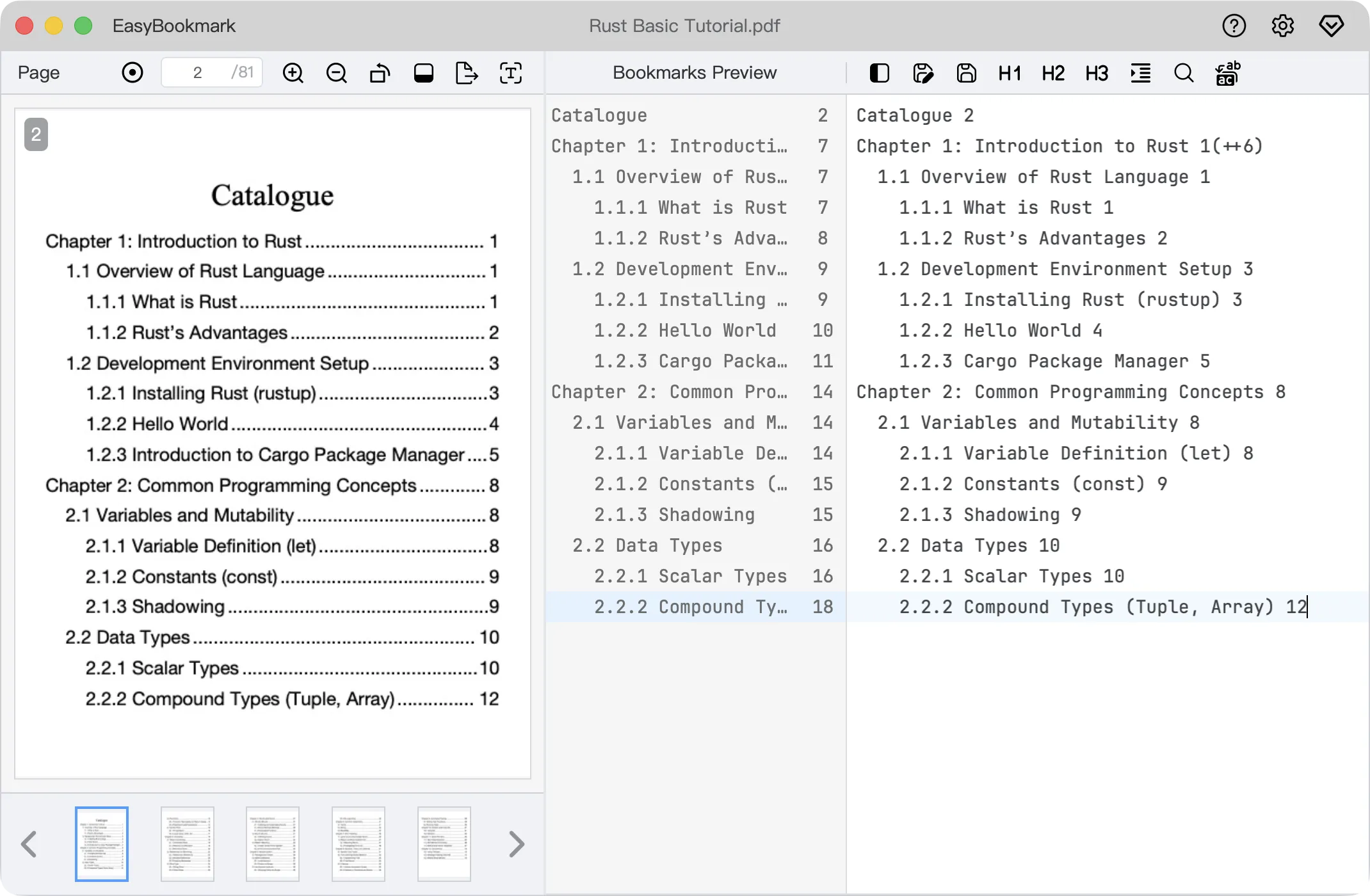
Use intuitive indentation (spaces) to define bookmark hierarchy. No complex menus required—write your bookmarks just like writing an outline. WYSIWYG.
For scanned PDFs, the built-in high-precision OCR engine extracts text from table of contents pages with one click, quickly converting it into bookmark format.
Intelligently recognizes standard numbered headings (e.g., 1.1, 1.1.1), automatically applying indentation and formatting them into the corresponding hierarchical structure.
PDF page numbers mismatch actual pages? Use (++offset) syntax to easily correct offsets. Supports multiple calibration rules with one-click application.
Privacy first. All file processing is done locally on your device. No files are uploaded to any server, ensuring your documents are absolutely secure.
Built with a Rust core engine for powerful performance. Processes even large files with hundreds of pages efficiently and quickly.
Generate complex hierarchical structures with simple text formats
Tip: Use (++5) to automatically increment page numbers by 5 for the current and all subsequent titles, perfectly solving offset issues in scanned copies.
If you encounter any issues or have suggestions, feel free to contact us.
We will reply to your email as soon as possible.
 EasyBookmark